How to Write Classic JRPG-Style Pixel Character Prompts with ChatGPT
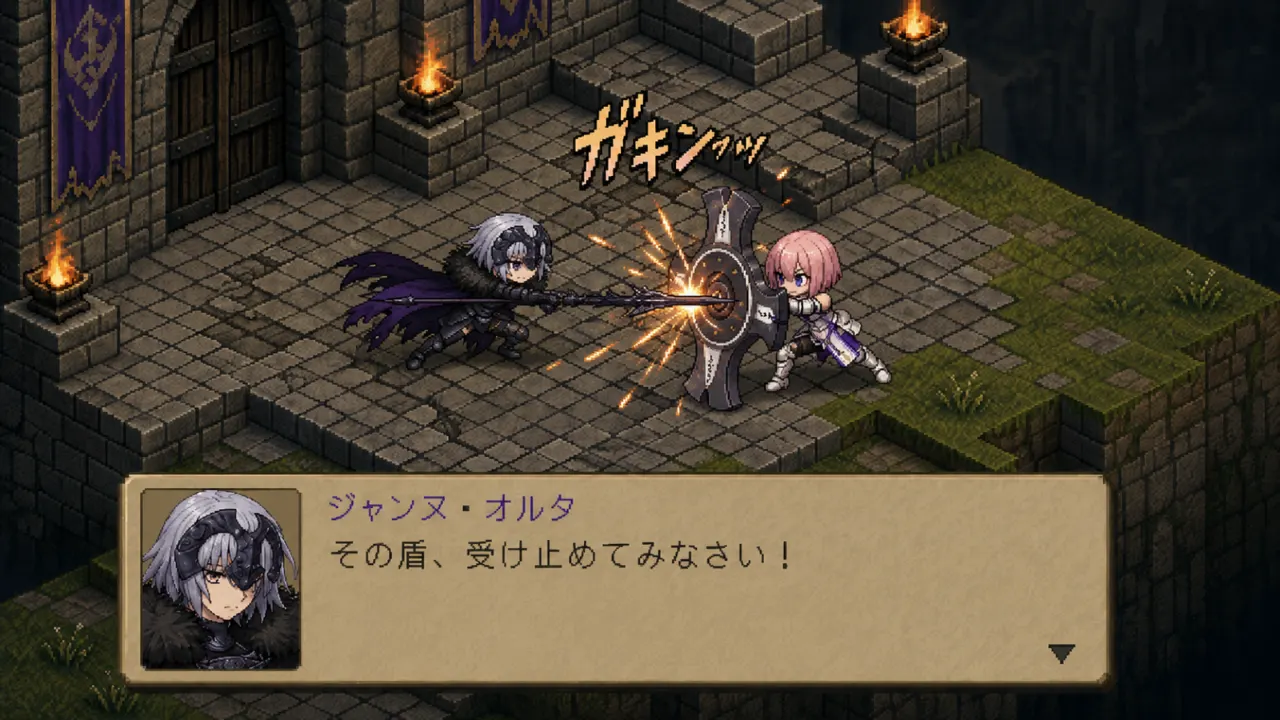
When creating pixel characters with AI image tools, simply typing “pixel art character” can make the results far too random. So I tested how to structure prompts with ChatGPT when trying to generate JRPG-style pixel characters, especially when the goal is to get closer to that classic game feeling.
The main reference point I used was the classic SRPG look of games like <Final Fantasy Tactics> and <Tactics Ogre>. In terms of more recent games, it is close to the feel of SOC (Sword of Convallaria). The target was a 16-bit pixel character, a small character sprite, an idle battle pose, and a 45-degree isometric view.
1. “Pixel character” is a much broader phrase than it sounds
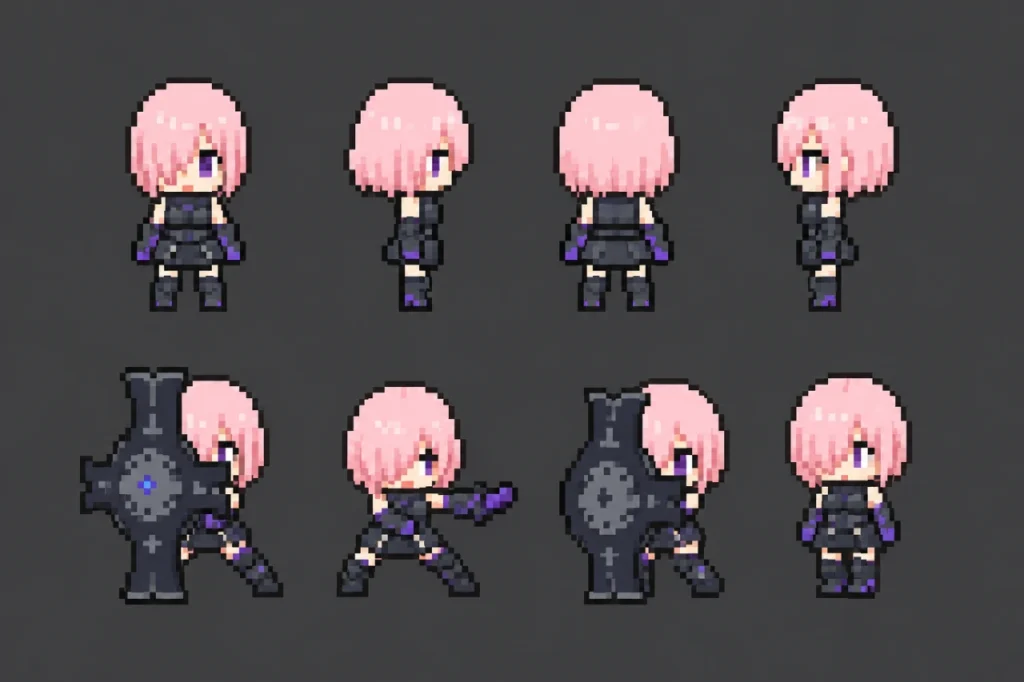
FGO Mash Kyrielight, pixel art, 1px outline, 16x16 sprite, 16-color palette, no anti-aliasing, flat color, no shading, pure fills, limited 16-color palette, controlled gamut, aspect ratio 3:2The phrase “pixel character” can be interpreted by AI in more ways than expected. It might come out like a mobile game icon, or it might turn into a cute SD character. In some cases, it even becomes a polished illustration with just a light pixel-style filter on top.
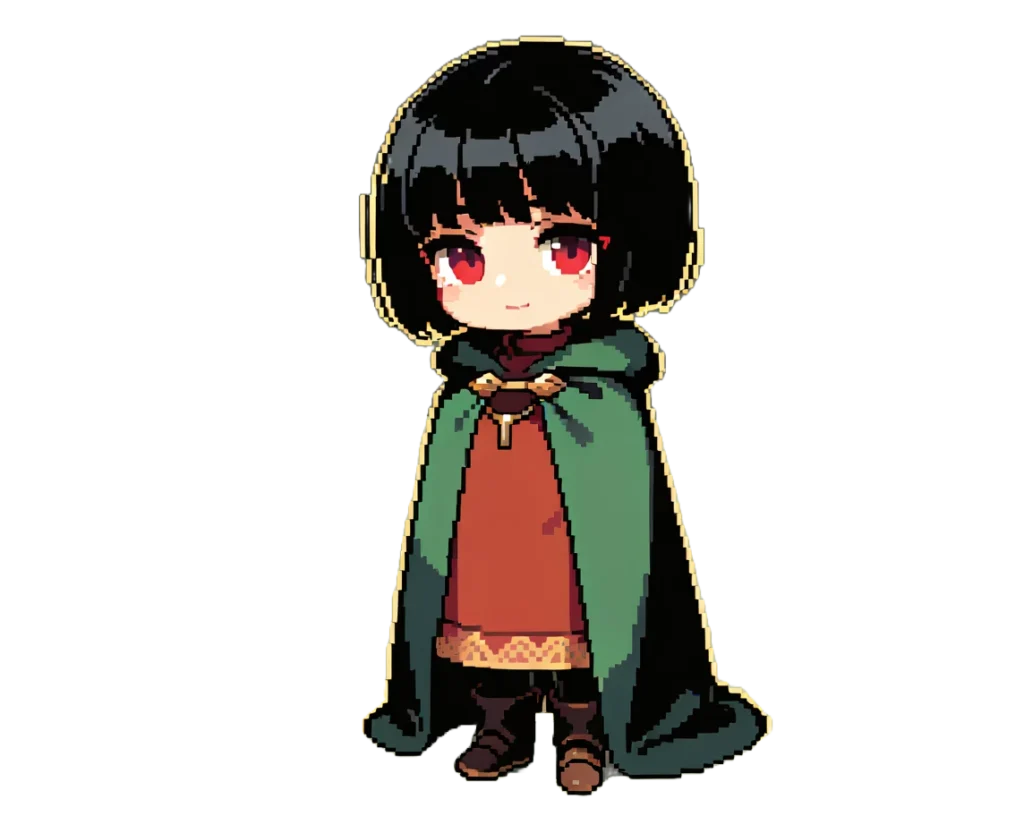
What I wanted was not simply an image that felt slightly pixelated, but a “small battle character that could actually exist inside a classic JRPG or SRPG.” So instead of only adding pixel art to the prompt, I also combined details such as camera angle, character size, color restrictions, outline, pose, and background tiles.
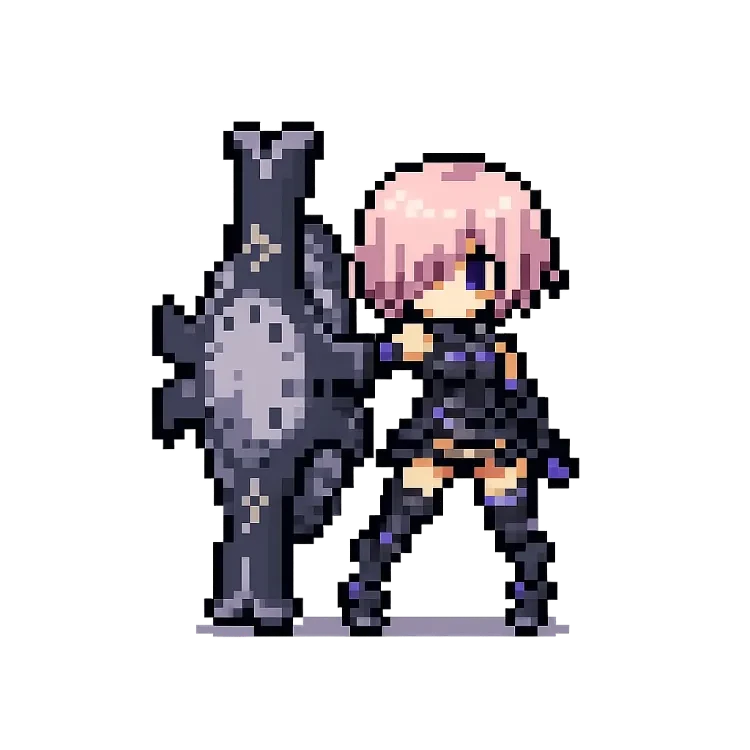
Basic test prompt (FGO Morgan)
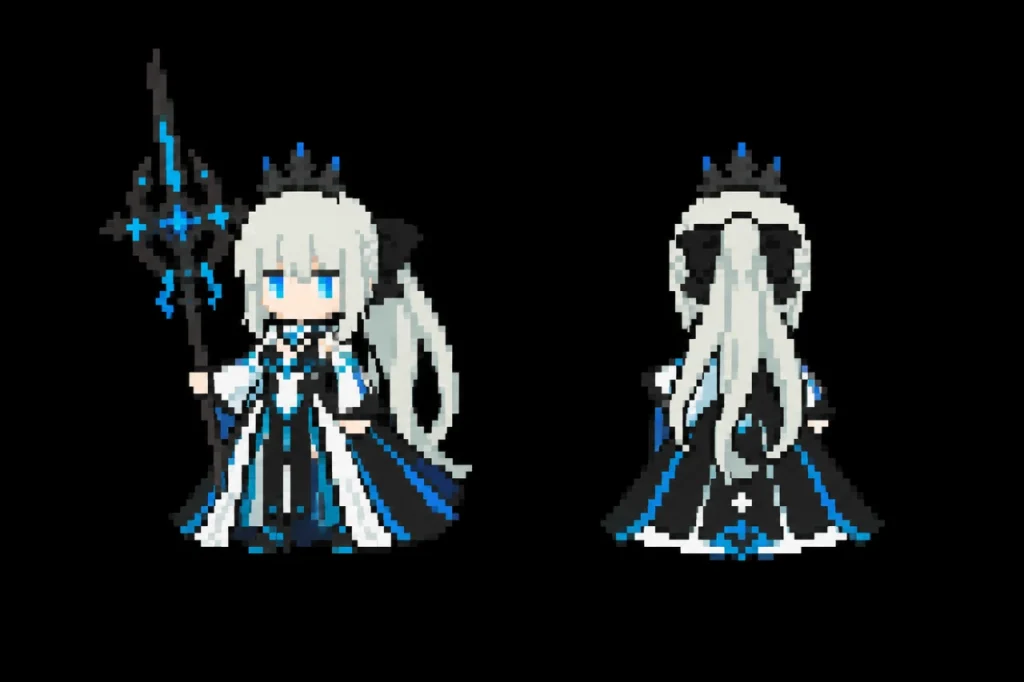
FGO Morgan pixel art, 1px outline, 16x16 sprite, 16-color palette, no anti-aliasing, flat color, no shading, pure fills, limited 16-color palette, controlled gamut, aspect ratio 3:22. Narrow the context by specifying JRPG as the genre
If you want a JRPG-style pixel character, you need to narrow the range clearly inside the prompt. The first conditions worth adding are the genre terms JRPG and SRPG.
Once you name the genre, the AI starts to steer the character away from “illustration” and toward “game asset.” To narrow it further, add phrases like battle sprite or idle battle pose. This makes the result feel less like a character introduction illustration and more like a sprite that could be placed directly into a game scene.
Applied prompt (based on the female Star Rail Trailblazer)
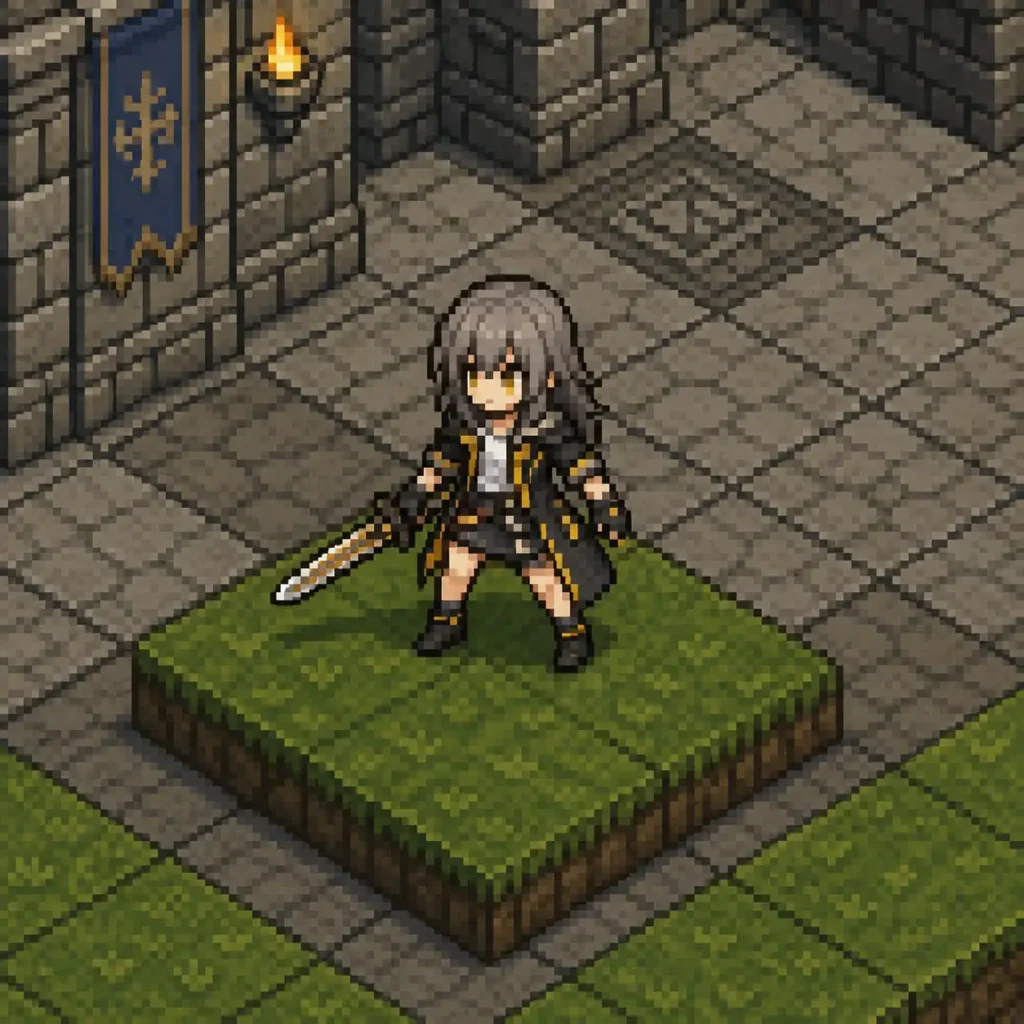
A 16-bit pixel art sprite of a fantasy JRPG character 'Star Rail Trailblazer', classic 90s isometric tactical RPG style. Isometric 45-degree view, 128x128 resolution scale, rigid grid alignment, limited color palette with earthy tones, no gradients, pixel-perfect hard edges, small game sprite, idle battle pose, readable silhouette, 1px dark outline, tilemap background, stone castle floor, isometric grass tile, seamless grid, 32x32 pixel per unit.3. Use 16-bit and 3/4 view to set the era and composition
If you want to capture the feeling of classic console games, adding an era-related term like 16-bit to the prompt also helps.
Adding 3/4 view (or Isometric 45-degree view) is also very effective. When JRPG, 16-bit, 3/4 view, full body, and battle sprite are used together, the character starts to feel much closer to an actual game-screen sprite than a simple front-facing character.
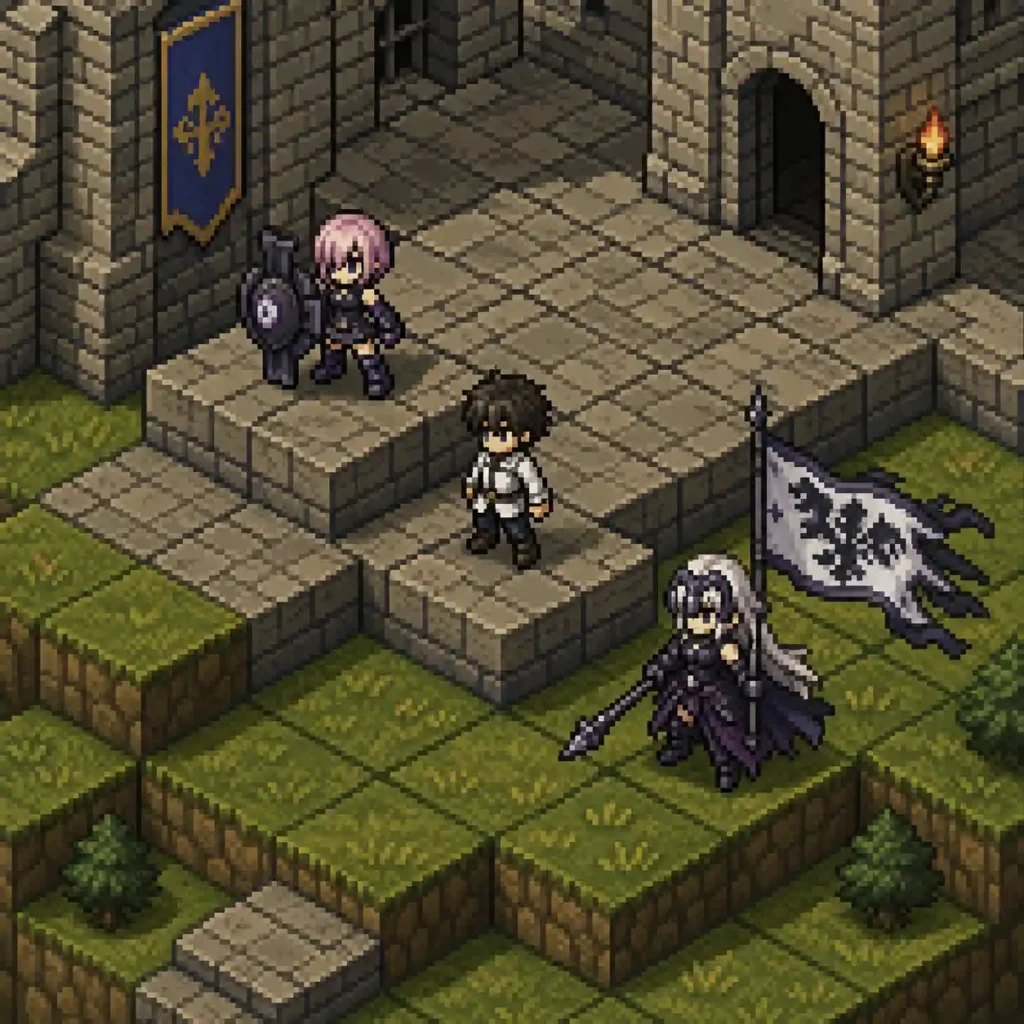
A 16-bit pixel art sprite of a 'FGO Mash Kyrielight' and 'Master' and 'Jeanne d'Arc (Alter)', character, FFTactics style. Isometric 45-degree view. 128x128 resolution scale. Rigid grid alignment. Limited color palette with earthy tones. No gradients, pixel-perfect. Tilemap, stone castle floor, isometric grass tile, seamless grid, 32x32 pixel per unit"4. Pixel feeling comes down to “color count” and “1-pixel outlines”
When trying to bring out the crisp, blocky appeal of pixel art, color count and border treatment are key.
Adding limited color palette to the prompt can help prevent the colors from blending too much or the image from using excessive gradients.
You can also add 1px dark outline to make the character boundaries clearer.
Final refined prompt (including a dialogue event scene)
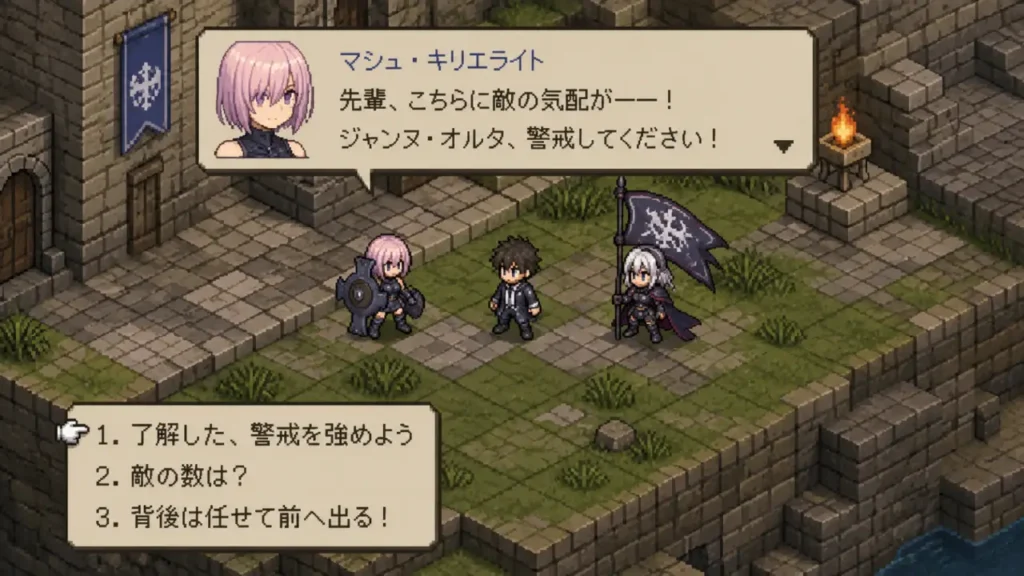
A 16-bit pixel art sprite of a 'FGO Mash Kyrielight' and 'Master' and 'Jeanne d'Arc (Alter)', character, FFTactics style. Isometric 45-degree view. 128x128 resolution scale. Rigid grid alignment. Limited color palette with earthy tones. No gradients, pixel-perfect. Tilemap, stone castle floor, isometric grass tile, seamless grid, 32x32 pixel per unit" ar16:9, dialogue event scene, Japanese text dialogue.To sum it up
- Genre direction: JRPG, SRPG, FFTactics style
- Era and composition: 16-bit, 3/4 view (Isometric 45-degree)
- Use and form: full body, battle sprite, idle battle pose
- Pixel details: limited color palette, 1px dark outline, no anti-aliasing
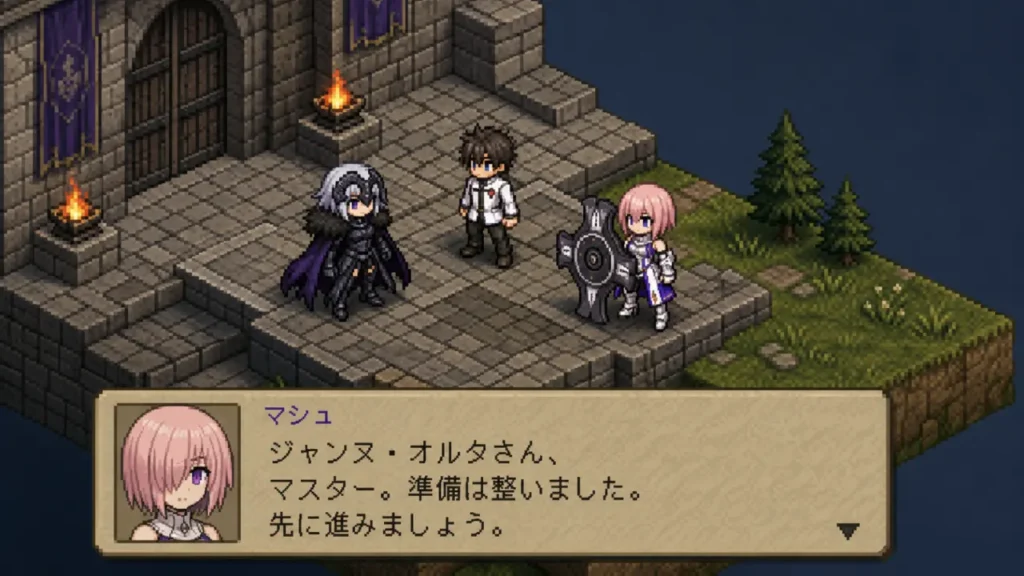
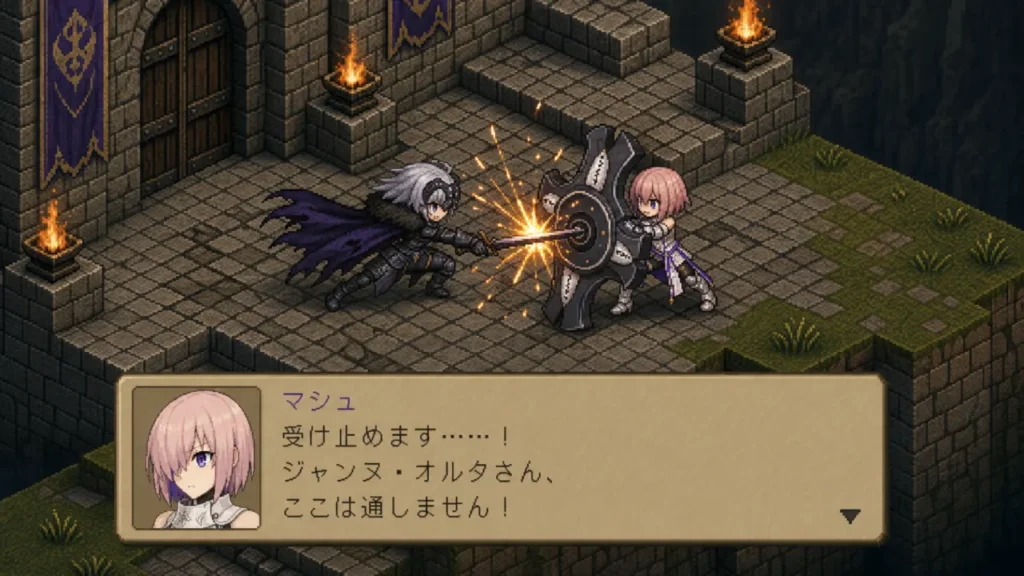
A 16-bit pixel art sprite of a 'FGO Mash Kyrielight' and 'Master' and 'Jeanne d'Arc (Alter)', character, FFTactics style. Isometric 45-degree view. 128x128 resolution scale. Rigid grid alignment. Limited color palette with earthy tones. No gradients, pixel-perfect. Tilemap, stone castle floor, isometric grass tile, seamless grid, 32x32 pixel per unit" ar16:9, dialogue event scene, Japanese text dialogue.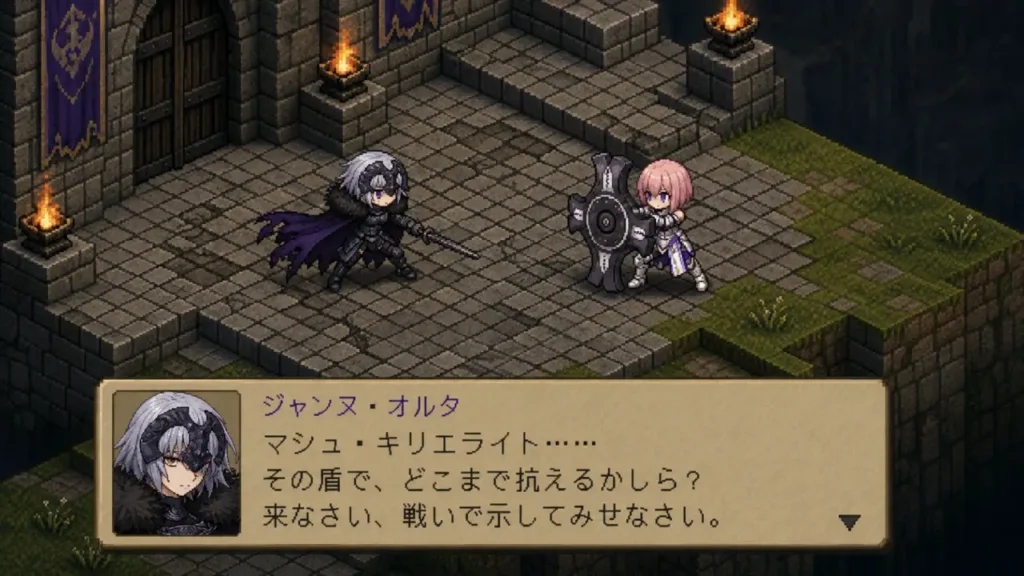
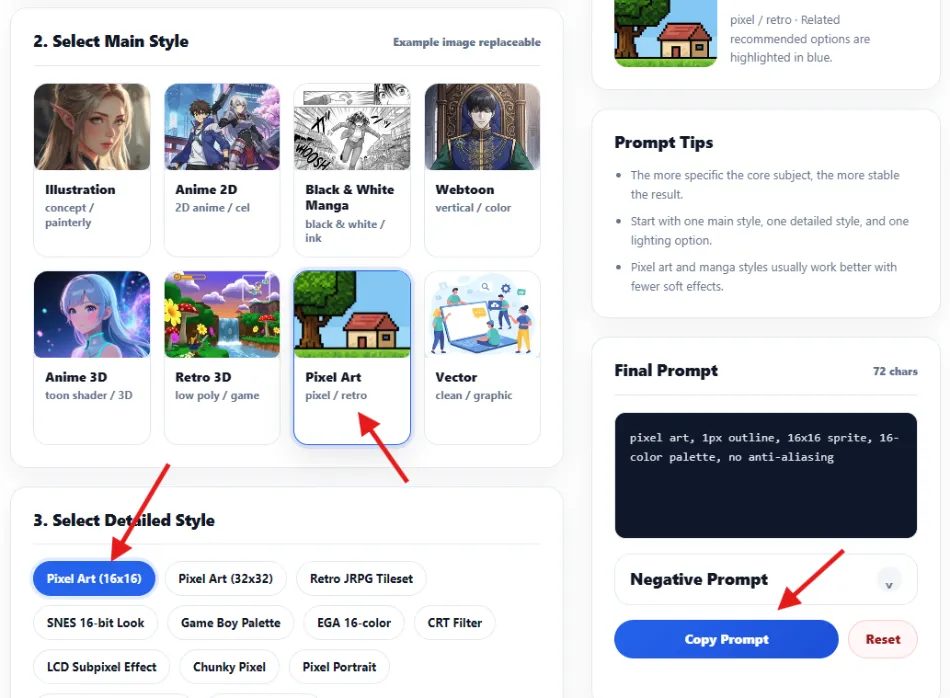
Let’s try using the Prompt Builder
With the prompt builder, you can easily create the exact prompt you want.
- Select Pixel Art
- Select 16×16
- Copy the prompt
Q1. What should I include first when making a pixel character prompt with ChatGPT?
If you only type pixel art, the AI may interpret it as an illustration, an icon, or a cute SD character. For a classic JRPG or SRPG feeling, it is better to combine terms like JRPG, SRPG, battle sprite, idle battle pose, 3/4 view, and isometric 45-degree view.
Q2. Why do I keep getting polished illustrations when I only type ‘pixel art’?
For the AI, pixel art can simply mean a broad image style with pixel-like texture. If you want a 90s classic game feeling, you need to specify the context and restrictions more clearly, such as 16-bit, limited color palette, no gradients, and 1px dark outline.